
① Rotate the camshaft until the camshaft gear hole aligns with the thrust bracket bolt hole. Remove the two thrust bracket bolts, then remove the three bolts, rear cover plate, and gasket, as shown in Figure 2-118.
② Install the camshaft installation guide tool (part number 3376388). Insert the expander (part number 3376923) through the opening in the rear cover plate into the camshaft. Rotate the bolt inside the expander clockwise to open the expansion plug, as shown in Figure 2-119.
③ Place the mandrel bushing onto the expander. Install the positioning guide extension rod on the expander (see Figure 2-120). ④ Slowly rotate the camshaft by hand to pull it out of the cylinder block (see Figure 2-121). Support the removed camshaft with your other hand and remove the camshaft guide tool.
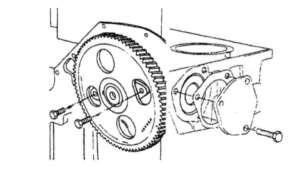
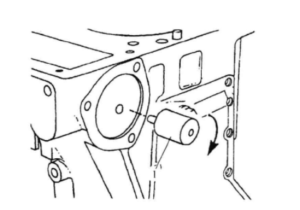
Figure 2-119 Install the expander into the camshaft. 1 – Expander