Description
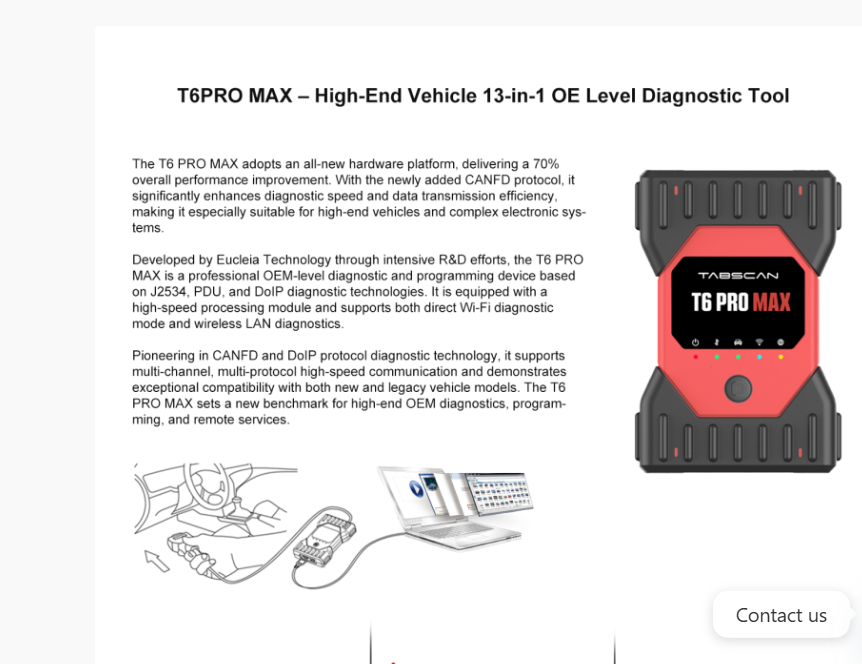
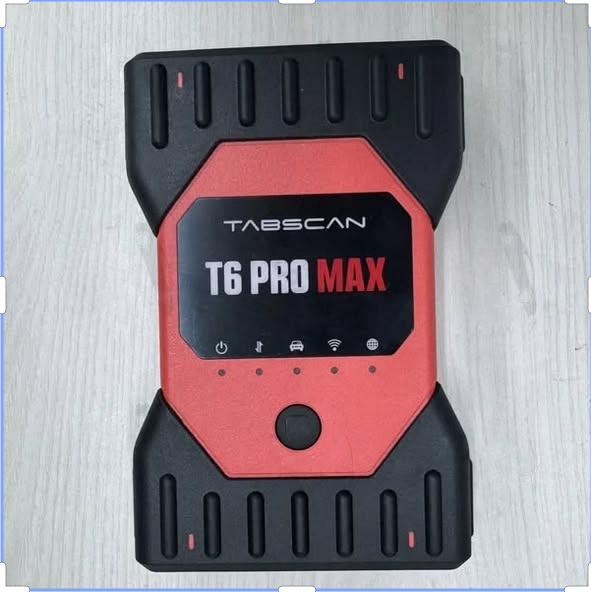
The Eucleia Tabscan T6PRO MAX is a multibrand car diagnostic device that runs original software for major brands (e.g., VAG, BMW, Mercedes, Toyota, Porsche, JLR) — it supports basic functions like reading/clearing DTCs and freeze frame data via OBD, plus advanced features such as coding and flashing updates
Core Functions and Positioning Professional Positioning: This is a professional-grade tool based on underlying technical standards such as J2534, PDU, and DoIP. It can not only read fault codes but also perform ECU (engine/transmission computer) programming, key matching, and advanced system adaptation—features that ordinary diagnostic tools cannot do. Hardware Upgrade: Compared to its predecessor, it adopts a completely new hardware platform, improving overall performance by approximately 70%, and adds support for the CANFD protocol, specifically designed to handle the increasingly complex high-speed electronic systems in new high-end vehicles (such as Mercedes-Benz and BMW). Connectivity: In addition to traditional wiring, it also supports Wi-Fi wireless connectivity, allowing technicians to operate flexibly inside the vehicle or near a lift.
Note:There are 3 options
1 Only T6 Pro Max—>GET only T6 Pro Max Diagnostic kit
2 with 2TB SSD——->GET T6 Pro Max Diagnostic kit and 2TB SSD with software pre-install
3 with CF-54 Laptop—–>GET T6 Pro Max Diagnostic kit and Pasonic CF-54 with software pre-installed
How to Use EUCLEIA T6 Pro Max?
Step 1
Download and install the latest TabScan PC management tool from the official website http://www.eucleia.net. After successful installation, check the Device Manager to confirm that the VCI device is recognized.
Step 2
Connect the female-to-DB26 adapter of the main test cable to the diagnostic programming box and tighten the screws. Insert the 16-pin male-to-OBDI1 connector of the test cable into the vehicle’s OBDI female diagnostic port, which is typically located below the dashboard.
Step 3
Connect the Type-A end of the USB cable to the PC and the Type-B end to the diagnostic programming box.
Step 4
Launch compatible third-party or OEM diagnostic software, then configure the software to recognize the VCI device as the diagnostic interface. When the software successfully connects, the Vehicle indicator will flash green.
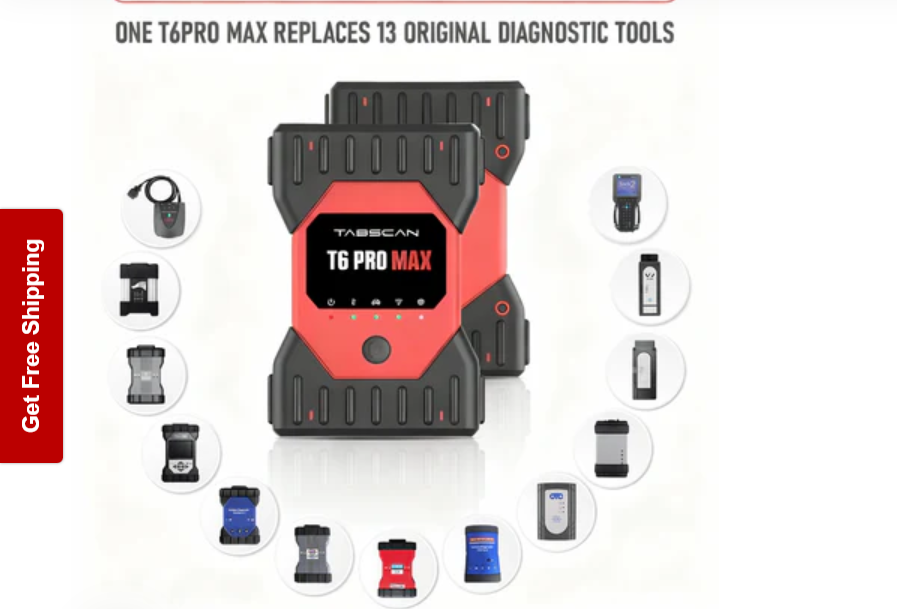
T6PRO MAX -High-End Vehicle 13-in-1 OE Level Diagnostic Tool
The T6 PRO MAX adopts an all-new hardware platform, delivering a 70%
overall performance improvement. With the newly added CANFD protocol, it
significantly enhances diagnostic speed and data transmission efficiency.
making it especially suitable for high-end vehicles and complex electronic sys-
tems.
Developed by Eucleia Technology through intensive R&D efforts, the T6 PRO
MAX is a professional OEM-level diagnostic and programming device based
on J2534, PDU, and DolP diagnostic technologies. It is equipped with a
high-speed processing module and supports both direct Wi-Fi diagnostic
mode and wireless LAN diagnostics.
Pioneering in CANFD and DolP protocol diagnostic technology, it supports
mult-channel, multi-protocol high-speed communication and demonstrates
exceptional compatibility with both new and legacy vehicle models. The T6
PRO MAX sets a new benchmark for high-end OEM diagnostics, program-
ming,and remote services.